
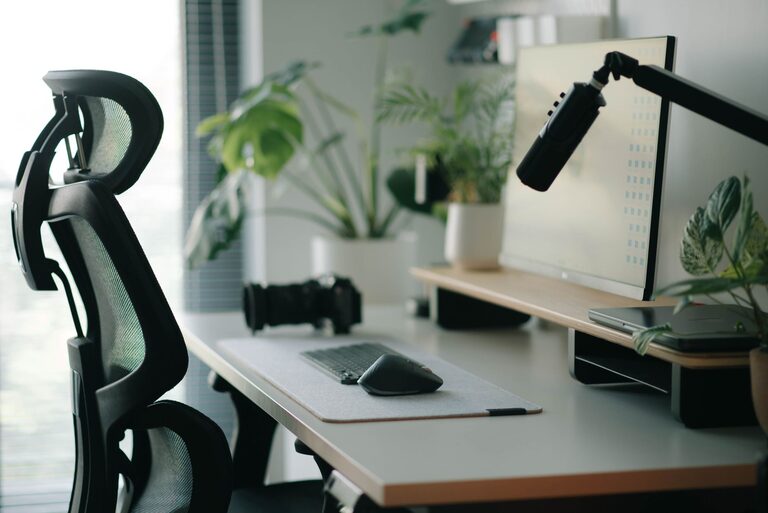
Creating a workspace that supports both focus and comfort can greatly improve your productivity and overall work experience. Whether you work from home, in an office, or a shared space, the way your desk is arranged matters. A well-organized, ergonomic, and pleasant desk setup helps reduce distractions, prevent discomfort, and keep you motivated throughout the day. Here are practical tips to help you design a desk setup that fosters focus and comfort.
Choose the Right Desk and Chair
Desk Height and Size
Start by selecting a desk that fits your space and meets your work needs. Ideally, your desk should be at a height where your elbows rest comfortably at a 90-degree angle when typing or writing. Most standard desks are around 28 to 30 inches tall, but adjustable desks are great for customizing this.
Make sure your desk is large enough to hold your essentials without feeling cluttered. Having extra space allows you to spread out materials and reduces stress caused by cramped environments.
Ergonomic Chair
An ergonomic chair is essential for comfort during long working hours. Look for chairs that provide good lumbar support to maintain the natural curve of your spine. Adjustable seat height, armrests, and backrest tilt can help you find a comfortable position.
When sitting, your feet should be flat on the floor or on a footrest, with your knees at about a 90-degree angle. This posture reduces pressure on your lower back.
Optimize Your Monitor Placement
Eye Level Positioning
Your monitor should be positioned so that the top of the screen is at or slightly below eye level. This helps prevent neck strain caused by looking too far up or down. Placing the monitor about 20 to 30 inches away, roughly an arm’s length, reduces eye fatigue.
Dual Monitor Setup
If you use two monitors, position them side by side with no gap between. Align the primary monitor directly in front of you and the secondary one to the side you use most. This setup minimizes excessive head movement.
Manage Lighting to Reduce Eye Strain
Natural Light
Use natural light as much as possible, ideally from the side or front to avoid glare on your screen. Position your desk near a window but avoid direct sunlight that can cause reflections or heat discomfort.
Task Lighting
Add a desk lamp with adjustable brightness and color temperature. Warm light can create a cozy atmosphere, while cooler light works better for tasks needing focus. Avoid harsh overhead lights to reduce shadows and eye strain.
Keep Your Desk Organized
Declutter Regularly
A cluttered desk can distract you and decrease productivity. Keep only essential items on your desk. Use drawers, shelves, or organizers to store stationery, documents, and gadgets.
Use Storage Solutions
Consider desk organizers such as trays, pen holders, file racks, and cable management systems. These keep your items accessible but tidy, helping maintain a clean workspace.
Cable Management
Tidy up cables to avoid tangles and hazards. Use clips, sleeves, or under-desk trays to keep cables out of sight and prevent accidental unplugging.
Incorporate Comfort Accessories
Keyboard and Mouse
Choose ergonomic keyboards and mice that support a natural hand position. Wrist rests can reduce strain during extended typing sessions.
Footrest
If your feet don’t reach the floor comfortably, using a footrest can improve posture and circulation.
Wrist Support
Consider using gel or foam wrist supports to lessen pressure on your wrists, especially if you type a lot.
Personalize Your Space
Add Plants
Small indoor plants boost mood and air quality. Choose low-maintenance varieties like succulents or snake plants for your desk.
Decor and Inspiration
Include a few personal items like photos, artworks, or motivational quotes. These can provide comfort and inspiration without overwhelming the space.
Take Breaks and Move
Even the best desk setup cannot replace the need for regular breaks. Stand up, stretch, and walk around every 30 to 60 minutes. Movement helps reduce fatigue and improves focus when you return to work.
Summary Checklist for Your Desk Setup:
– Adjustable desk and ergonomic chair for proper posture
– Monitor at eye level, about an arm’s length away
– Balanced natural and task lighting to reduce eye strain
– Clutter-free desk with organized storage and cable management
– Ergonomic keyboard, mouse, and optional wrist or foot support
– Personalized touches like plants and decor
– Regular breaks to move and stretch
By paying attention to these desk setup tips, you can create a workspace that supports your comfort and concentration. A thoughtfully arranged desk not only boosts your productivity but also makes working more enjoyable. Start making adjustments today to experience the benefits of a focused and comfortable work environment.